About this guide: This is a practical general guide, not a certification of a particular game or device. Our approach
Start with a one-sentence brief
Before opening another list, finish this sentence: “I want a game for ___, I enjoy ___, and I do not want ___.” The blanks are your situation, the activity you like and the tradeoff you want to avoid.
For example, a reader who wants a quiet evening, likes building a routine and dislikes competitive pressure has a different brief from someone looking for demanding action. This is a decision tool, not a personality test. Use it to reject a poor fit even when a game is popular.
1. Match the game to the time and attention you have
Decide whether you want an ongoing world, repeated runs or separate levels. Then look for the game's documented pause and save behaviour. Do not assume that a game on a phone is automatically designed for a five-minute interruption.
A continuing farm such as Stardew Valley and a repeated-run card game offer different reasons to return. Neither is automatically better for a commute or an evening; the useful choice depends on how you actually expect to play. Avoid relying on precise run-time claims unless they have been measured for the mode you want.
2. Check your exact Android device
Open the current Play listing with the Google Account and device you intend to use. Google explains that developers determine compatibility, and that availability can depend on device support or country.
Use About this game to inspect the listed device information and download requirements. Do not mistake a recommendation for confirmation that a game will install on every phone. If Play marks your model incompatible, check the publisher's support information rather than assuming a file from another store solves the issue.
3. Choose a purchase model you understand
Look for the install price, advertising and in-app purchase labels. Decide in advance whether you are comfortable with an upfront purchase, optional extras or recurring access. A free install answers only the first question about cost.
For a game you already want, inspect the specific offer before paying. A permanent unlock, a pack of currency and a subscription are different commitments. Our Android purchase guide explains those models, verification settings and the limits of Play's budget alerts.
4. Inspect the mobile controls and text
Look at screenshots and official mobile footage for the information you will actually read and the actions you will repeat. A card game needs readable text; an action game needs a control layout you can comfortably use.
If a controller is essential, seek documentation for that edition and your intended input device. “Available on PC” does not prove phone controller support. If an assistance setting would make the game more approachable, look for the publisher's current instructions instead of treating a default control scheme as the only option.
5. Check connection and save requirements
Make offline play a requirement before buying if you expect unreliable internet. A single-player label alone does not settle account, licence, download or cloud-save requirements. Follow our offline test before a trip.
Also ask how important progress is recovered if you change or lose a device. Read the game's own save documentation. Do not assume that signing in, owning a PC edition or seeing a cloud symbol means every platform shares the same progress.
6. Read privacy information and age guidance
Use the Play listing's Data safety section, privacy-policy link and content rating as part of the decision. Google says developers provide Data safety information, and the section is intended to explain collection and sharing practices. It is information to evaluate, not our independent audit of the app.
Consider the content and account requirements in the context of whoever will play. A visually simple game can still include themes or purchases you want to understand first. If a permission or data practice is unclear, use the publisher's explanation before deciding.
7. Choose by the activity, then reduce your shortlist
Use the main activity as the final filter:
- Scoring combinations: look at Balatro.
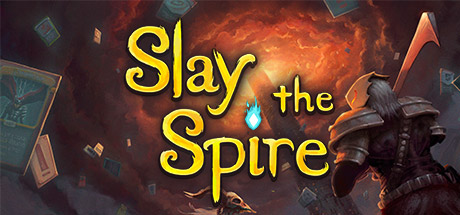
- Turn-based card battles: look at Slay the Spire.
- Farming and a continuing routine: look at Stardew Valley.
- Movement and enemy patterns: look at Dead Cells.
- Enemy waves and growing upgrades: look at Vampire Survivors.
Those are suggestions from documented mechanics, not promises about what you will enjoy. Our five Android picks adds a practical tradeoff for each. Keep only the choices that meet your earlier requirements.
When two games still look equally good
Compare the one question that would change your decision. For Balatro and Slay the Spire, it may be scoring versus combat; our card-game comparison explores that split. For Stardew Valley, it may be platform features; our mobile vs PC guide covers controls, co-op and saves.
If a necessary feature is unconfirmed, leave the game on a shortlist rather than converting uncertainty into a purchase. A recommendation is most useful when it explains a fit you recognise in your own routine.
Official sources & store pages
- Google Play — app availability and compatible devices
- Google Play — how compatibility works
- Google Play — in-app purchase labels
- Google Play — developer-provided Data safety information
- Google Play — spending budget alerts
- Stardew Valley — Android listing
- Balatro — official overview
- Mega Crit — game overview
- Dead Cells — Android listing
- Vampire Survivors — official overview
Information checked .
Publisher artwork is credited to the respective game creators; images may depict another platform edition.
Keep a little room for discovery.
Explore the game finder